
en | TL
How to Set Up an Email Account on Android?
-
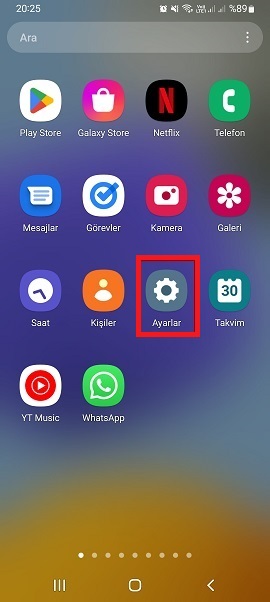
Tap the Settings icon from the Apps section.
-
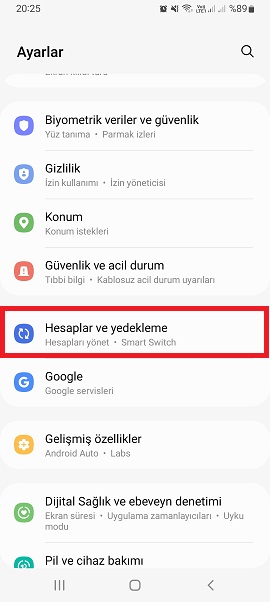
Tap Accounts and Backup.
-
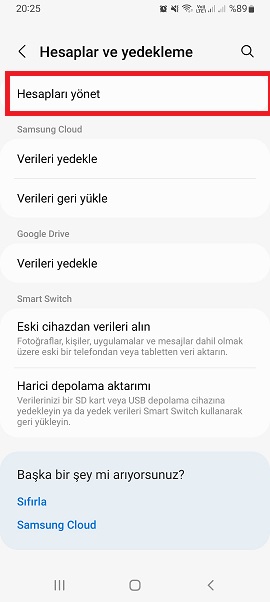
Tap Manage Accounts.
-
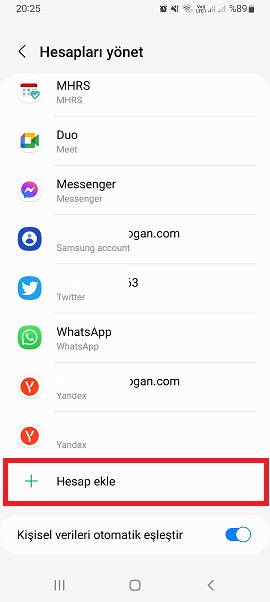
Tap Add Account. This option is usually found at the bottom of the list.
-
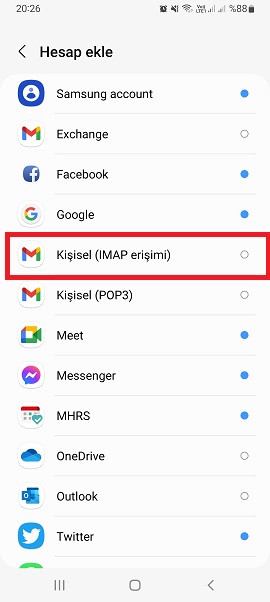
In the pop-up window, select Personal (IMAP) or Personal (POP3).
-
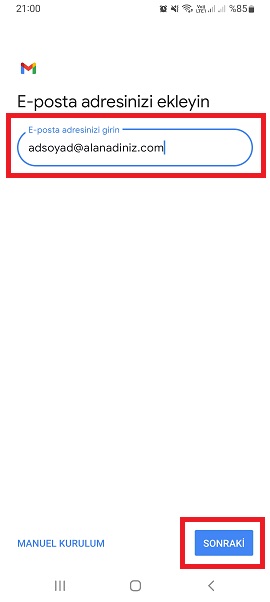
On the next screen, enter your email address in the required field, then tap Continue.
-
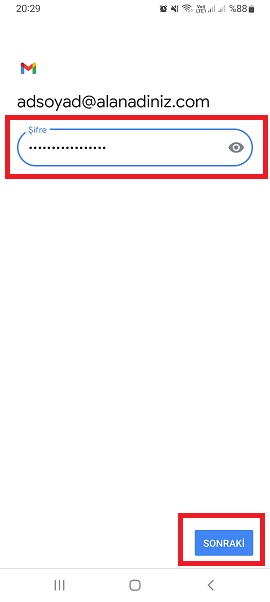
Enter your email password, then tap Next.
-
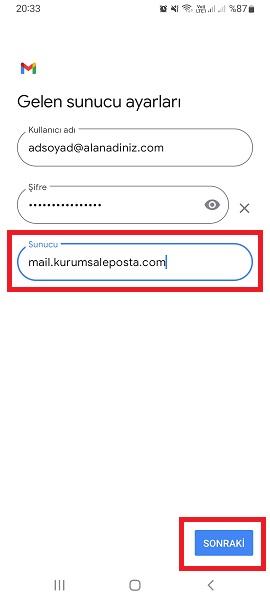
Fill in the fields for Email, Server, Username, Password, and Description, then tap Next.
-
Server: mail.kurumsaleposta.com
-
-
Tap Continue.
-
Tap Save.
Congratulations! You can now start sending and receiving emails right after setup.